Virtual Machine Hosting in India
Buy Cloud Virtual Machine Hosting India
- High-Performance VM Resources
- Full Root & Admin Access
- 99.99% Uptime SLA
- Quick Resource Scaling
- Automated Daily Backups
- 24*7 Expert Support
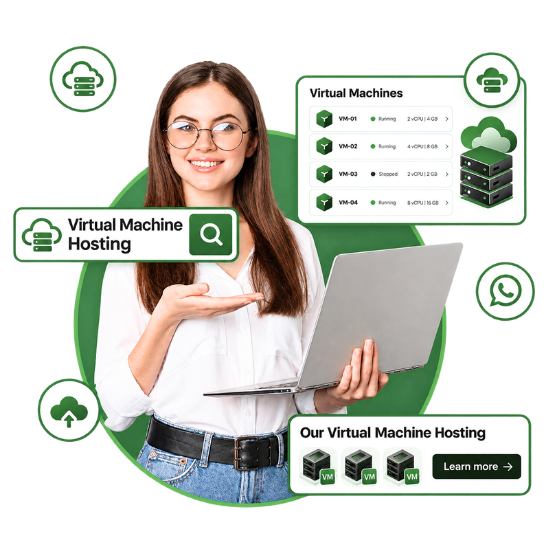
Cloud Virtual machine hosting provides you with the flexibility, speed, and scalability your business needs without investing extra cost in managing physical hardware. No matter if you are running applications, hosting websites, or testing development environments, Cloud VM hosting gives better performance, dedicated resources, and guaranteed uptime. Indeed, it’s the finest choice for businesses that are looking for secure and cost-effective hosting solutions in India
| Plan | Processor | Ram | Disk space | Data transfer | Offer | Price | |
|---|---|---|---|---|---|---|---|
| Cloud VM 1 | 2v Core | 4 GB | 50 GB | 1 TB | 25% OFF |
₹ 799/-Monthly | Buy Now |
| Cloud VM 2 | 4v Core | 8 GB | 100 GB | 1 TB | 25% OFF |
₹ 1,499/-Monthly | Buy Now |
| Cloud VM 3 | 4v Core | 16 GB | 100 GB | 1 TB | 22% OFF |
₹ 2,199/-Monthly | Buy Now |
| Cloud VM 4 | 6v Core | 12 GB | 200 GB | 1 TB | 20% OFF |
₹ 2,499/-Monthly | Buy Now |
| Cloud VM 5 | 6v Core | 16 GB | 300 GB | 1 TB | 20% OFF |
₹ 3,099/-Monthly | Buy Now |
| Cloud VM 6 | 6v Core | 32 GB | 300 GB | 1 TB | 20% OFF |
₹ 4,399/-Monthly | Buy Now |
A virtual machine, or VM, refers to a digitized version of a physical computer. It can operate programs and a running system, store data, connect to networks, and do other computing functions.
Although a VM prefers completely virtual resources instead of physical components. IT allows businesses to create isolated environments on host hardware that behave like separate machines.
Virtual machines utilize virtualization technology to create virtual hardware, or a virtual version of a computer on a physical machine. The physical machine on which the VMs operate is known as the host, and the VMs running on the host are called guests. Each guest VM runs on an isolated partition on the host, mainly separated from other guests. You can host different VMs on a single host machine, often a server, operating on a software layer known as the hypervisor.
Each guest VM runs on an isolated partition on the host, mainly separated from other guests. You can host different VMs on a single host machine, often a server, operating on a software layer known as the hypervisor.
"A VM is generally a virtualized environment of a physical computer. It can perform almost all of the same functions, like operating applications and running systems."
Enterprise-grade virtualization built for performance, security, and growth.
Resources can be easily scaled up or down to fulfill changing business needs, without needing additional hardware.
VMs can be easily designed, deleted, or moved between hosts, offering flexibility in handling IT infrastructure.
Businesses can integrate different servers onto a single physical machine, decreasing hardware costs and energy consumption.
Virtualization enables better utilization of server resources, leading to better performance and reduced waste.
Virtualization streamlines disaster recovery processes by allowing instant restoration of VMs from backups.
Supports a massive range of operating systems and software applications, with dedicated technical support to address concerns instantly.

We easily scale up or down your hosting via your admin interface since we identify that you must do so. Feel free to contact support if you desire to scale up or down.

Standard daily snapshot backups are added to all our hosting plans. Use our backups despite manually configuring backups. You can set your backup sequence, which is sent to our cloud infrastructure or a remote backup destination.

Net2Secure makes it a hassle-free task to host different operating systems in a single environment. You host several versions of Windows in our Windows environment to ensure backward compatibility with your programs.
Net2Secure offers full administrative control and visibility over your virtual machine network. By getting this, you can easily access, manage, and debug any machine over your network.

Leverage our solid security protocols and multi-layered defenses, comprising intrusion detection systems and encryption technologies, to secure your virtual machines and crucial data against cyber threats.

Perfectly scale your virtual machines with lightning speed, assuring your resources improve effectively to fulfil rising demands without any challenges.
Virtual machine hosting provides a secure environment for testing new software, applications, operating systems, or configurations without affecting your production environment. Developers and IT teams can easily experiment, detect issues, and validate updates before deploying them to live systems, decreasing the risk of downtime or data loss.
One of the main benefits of virtual machines is the ability to operate various OS on an individual physical server. Whether you require Windows, Linux, Ubuntu, CentOS, or other OS, each virtual machine runs independently, enabling businesses to support diverse workloads and application needs with ease.
Virtual machines are the basis of modern cloud infrastructure. They allow businesses to house computing resources on demand, expand workloads as traffic grows, and effectively handle applications in public, private, or hybrid cloud environments. This flexibility facilitates organizations embrace fastly to changing business needs while optimizing resource utilization.
Virtual machine hosting untangles disaster recovery by enabling complete VM snapshots, backups, and replication. In the event of hardware failure, accidental deletion, or cyber incidents, virtual machines can be restored or shifted to another host quickly, lessening downtime and ensuring business continuity.
Instead of dedicating a full physical server to a single application, virtual machine hosting enables various independent virtual machines to share the same hardware resources. It amplifies CPU, memory, and storage utilization, decreases infrastructure costs, lowers power consumption, and allows businesses to get better performance.
Net2Secure is a trusted name in India’s hosting industry, delivering virtual machine hosting solutions. We offer enterprise-grade security with multi-layered protection, like firewall configurations, an intrusion detection system, and end-to-end encryption to secure your virtual machines and crucial data.With our scalable infrastructure, you can quickly upgrade or downgrade your resources as your business grows. Our platform is mainly created for smart resource management, optimizing server usage to improve efficiency and decrease operational costs.It doesn’t matter if you need to run various Linux distributions or multiple versions of Windows; we certify easy deployment and backward compatibility to support your crucial applications.
Launch your virtual machines in no time by utilizing our intuitive interface, API, or CLI tools. Start concentrating on what matters without delays.
Sleep soundly with guaranteed uptime SLA and standard 3x Data Replication.
Start small and grow fast. Scale CPU, RAM, and storage on-demand without downtime.
Your data is completely secured with built-in encryption, DDoS protection, free VPS integration, custom security groups, and isolated private networks.
Virtual machines are connected to a 1 Gbps network with free incoming traffic, while the amount of outgoing traffic depends on the selected plan and location.
Quickly connect to the server through SSH for Linux or RDP for Windows and manage the system with full administrator rights.
Flexibly configure CPU, RAM, and disk space to match resources to your current project needs.
With Net2Secure, virtual machine management is smooth with an intuitive dashboard and full control over your infrastructure.
Net2Secure delivers optimized plans that enable you to effectively distribute your budget for different workload types and project scales.
Virtual machine hosting is beneficial for businesses that need more control and flexibility compared to traditional shared hosting. It delivers an isolated environment where you can run applications, websites, databases, development tools, and business software without investing in a physical server. It can be a good option for startups, growing businesses, developers, IT teams, and enterprises that require flexible computing resources. You can begin with the CPU, RAM, and storage your workload currently needs and expand them as your business grows. VM hosting is also crucial for businesses running applications that need a specific OS or software environment. Since each VM works independently, you can configure it according to the requirements of your application.
Virtual machines support a myriad of workloads, from everyday business applications to development and testing environments.
Run business websites, web applications, APIs, and other services in an isolated environment.
Create separate environments to build, test, and troubleshoot applications without affecting production systems.
Host ERP, CRM, accounting, database, and other business applications that need dedicated computing resources.
Windows-based VMs can offer remote desktop environments that employees can access securely from different locations.
Run databases in an isolated environment with configurable CPU, RAM, and Storage resources.
Use VM snapshots and backups to restore applications and systems more quickly after unexpected failures.
Considering a VM hosting plan is not only about choosing the highest CPU, RAM, or storage configuration. The right plan should match your workload and leave enough room for future growth.
Here are the crucial factors you need to consider:
Choose enough processing power to handle your applications and expected workload.
Memory requirements vary significantly between websites, databases, applications, and enterprise software.
Consider both your current data requirements and future storage needs.
Select Linux or Windows based on your application's compatibility and requirements.
Check network speed, traffic allowances, and connectivity requirements for your applications.
Make sure you can upgrade resources as your workload increases.
Look for automated backup or snapshot options to protect important data.
Check whether the provider offers features such as firewalls, isolated environments, and network-level protection.
"Net2Secure’s Virtual Machine Hosting offers a smooth and reliable hosting experience. The virtual machine is easy to manage and provides the flexibility to configure resources according to project requirements. I found the overall performance consistent, while the setup and management process was straightforward."
"In the early phase of our business, we always worried about downtime and backups. But since we connected to Net2Secure, they let us focus on business operations and rest handle themselves. "
"The support system from Net2Secure is indeed exceptional. Whether you need to scale resources or troubleshoot a VM, their team is always ready to do so."
"We operate different applications across multiple Windows versions, and Net2Secure has made compatibility unmatched. Their hosting environment supports everything we require."
"Security is the main thing that we can’t compromise. With Net2Secure multi-layered protection, we feel confident and secure that our data and applications are always safe. "
"Shifting to Net2Secure virtual machine hosting was a great decision for our rising startup. The quick scalability helped us handle the traffic increment without any challenge. "
Experience zero cloud complexity with big savings.